
Reviews
Description
Designing a Nursery Without Pressure
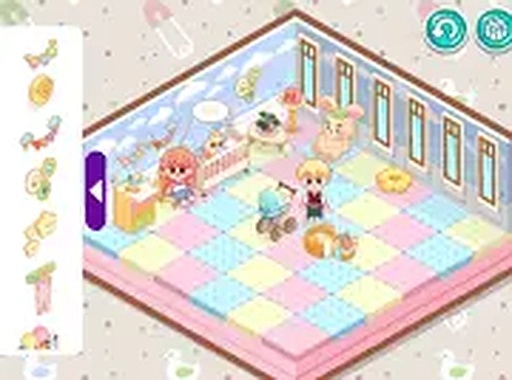
Cozy Nursery Design Studio focuses entirely on creating a comfortable room for a baby. You select a layout and wall color, then fill the space with cribs, changing tables, rugs, wallpaper patterns, and stuffed animals. The goal is a room that feels both welcoming and practical. There are no timers, scores, or deadlines, so you can rearrange items as often as you like. The game is free to play in a web browser and requires no download or registration.
How You Arrange the Room
Using a mouse or touch screen, you browse categories such as furniture, wall designs, and toys. Items are dragged into the room, then moved or rotated until they fit. Larger pieces like cribs and changing tables usually go in first, followed by smaller decorations like lamps and rugs. You can change colors, swap items, or remove anything that doesn't work. The interface uses clear icons and labels, making it accessible for children and adults alike.
What Makes It Different
Unlike general design games, this one stays within nursery themes. That narrow focus means every item—from wall patterns to plush toys—belongs in a baby's room. You can experiment with pastel palettes or bright primary colors, and save designs to continue later. The game runs on computers, tablets, and smartphones, and supports full-screen mode. Regular updates add new items and themes over time.
Approaches That Work Well
Start with a cohesive color scheme, then place large furniture before smaller accents. Distribute items evenly to avoid a cluttered look. Trying different wall designs and rearrangements helps you find a balance that feels functional and visually pleasing. Because there is no time limit, you can iterate until the room matches your personal style.
Compatibility
Player Comments
Sign in to comment
You must be logged in before posting a review or rating.
No comments yet. Be the first to comment!








Editorial Notes