
Reviews
Description
Vintage Interface Design
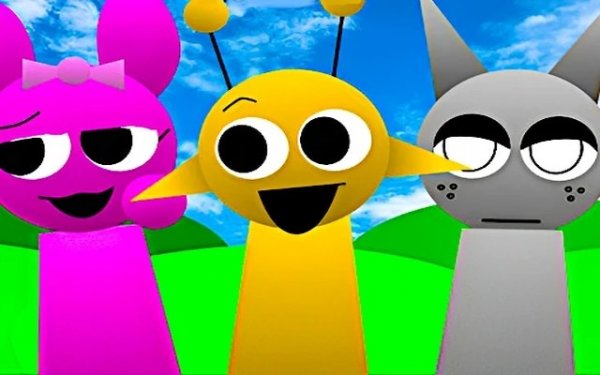
The interface mimics the aesthetic of 1990s computer programs, using blocky fonts, bright colors, and a pixelated layout. Characters appear as small sprite-like figures that you can pick up and place onto a central mixing area. The visual style is consistent throughout, with VHS-era graphics and animations that reinforce the nostalgic theme. Every element, from the background patterns to the character designs, feels pulled from an old monitor screen.
Building Your Sound Layer by Layer
Each character you move onto the stage contributes a unique audio loop. Some produce melodic tones, others add rhythmic percussion or ambient effects. By placing multiple characters, you stack these sounds together, forming a richer composition. The controls let you isolate individual layers using mute and solo functions, so you can hear exactly what each character contributes. This approach encourages experimentation without requiring any prior music knowledge.
Alternate Mood with Horror Mode
A special option shifts the entire experience into a darker palette. When activated, the visuals change to muted tones and the sound library swaps to more ominous loops. This mode offers a different creative direction, allowing you to craft eerie or tense arrangements. Switching back to the default mode is straightforward, so you can move between styles as your ideas evolve.
Responsive Controls Across Devices
The game works with both mouse and touch input, making it accessible on computers, tablets, and phones. Dragging characters feels smooth, and the interface adapts to different screen sizes without losing clarity. Since everything runs in the browser, there are no downloads or installations required. This simplicity lets you start creating immediately, whether you are at home or on the go.



Player Comments
Sign in to comment
You must be logged in before posting a review or rating.
No account? Create one
No comments yet. Be the first to comment!